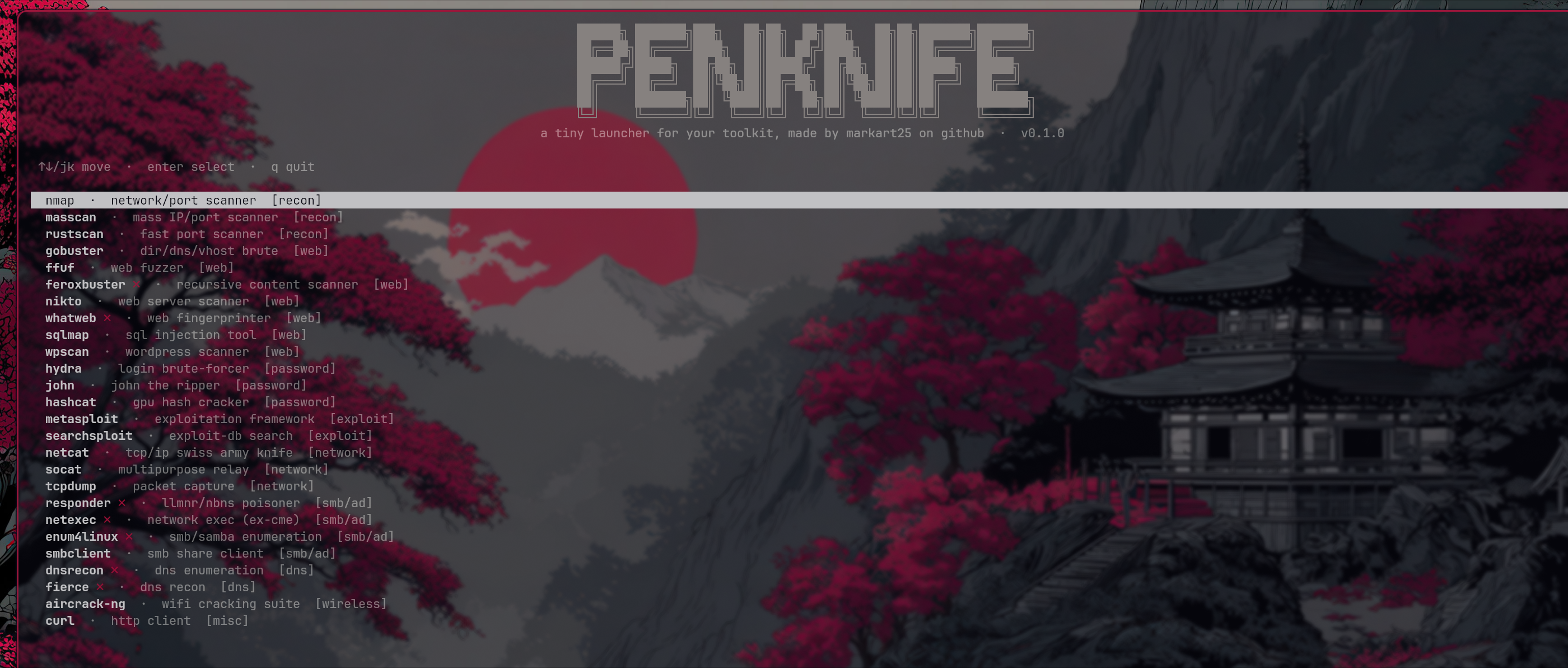
penknife (script kiddie tool) (101 on how to larp)
██████╗ ███████╗███╗   ██╗██╗  ██╗███╗   ██╗██╗███████╗███████╗
██╔══██╗██╔════╝████╗  ██║██║ ██╔╝████╗  ██║██║██╔════╝██╔════╝
██████╔╝█████╗  ██╔██╗ ██║█████╔╝ ██╔██╗ ██║██║█████╗  █████╗
██╔═══╝ ██╔══╝  ██║╚██╗██║██╔═██╗ ██║╚██╗██║██║██╔══╝  ██╔══╝
██║     ███████╗██║ ╚████║██║  ██╗██║ ╚████║██║██║     ███████╗
╚═╝     ╚══════╝╚═╝  ╚═══╝╚═╝  ╚═╝╚═╝  ╚═══╝╚═╝╚═╝     ╚══════╝
A tiny TUI launcher for your pentest toolkit. Run it, arrow-key to a tool,
pick a preset, tweak the command, launch. Zero dependencies, stdlib curses
only.
Install
git clone https://github.com/markart25/penknife
cd penknife
chmod +x penknife.py
sudo cp penknife.py /usr/local/bin/penknife
Then just run penknife.
Usage
penknife            launch the menu
penknife --help     help
penknife --config   print the config path
penknife --reset    restore default tools
Flow: tool list → preset → editable command → launch. After the tool exits you drop back into penknife.
Tools that aren't installed show a dim ✗ but you can still select them.
Keys
| key | action |
|---|---|
↑/↓ j/k |
move |
enter l |
select |
esc h |
back |
q |
quit |
In the command editor: enter runs, esc cancels, arrows/home/end move.
Config
Tools live in ~/.config/penknife/tools.json, created on first run. Edit it
to add, remove, or re-order tools and presets:
{
  "tools": [
    {
      "name": "nmap",
      "category": "recon",
      "description": "network/port scanner",
      "presets": [
        { "name": "Quick scan", "command": "nmap -T4 -F {target}" },
        { "name": "Custom", "command": "nmap " }
      ]
    }
  ]
}
name— display name (and the binary checked for, unlesscheckis set)check— optional, the binary to look for if it differs (e.g. metasploit →msfconsole)category— free-text tag shown in the listpresets[].command— the command, with{placeholder}hints you fill in the editor
Placeholders like {target}, {wordlist}, {port} are just reminders —
penknife flags any you leave unfilled before launch.
Comes with ~26 tools out of the box (nmap, ffuf, gobuster, sqlmap, hydra, netexec, responder, metasploit, and more).
Installing the tools
penknife ships with presets for ~26 tools. None of them are installed by
penknife itself — you need them on your $PATH. Tools that aren't found show
a dim ✗ in the list but remain selectable.
Kali / Parrot / Debian-based (most are already present):
sudo apt install nmap masscan gobuster ffuf feroxbuster nikto whatweb \
  sqlmap wpscan hydra john hashcat netcat socat tcpdump responder \
  netexec enum4linux smbclient dnsrecon fierce aircrack-ng curl
- rustscan —
cargo install rustscanor grab a release binary from GitHub - metasploit —
curl https://raw.githubusercontent.com/rapid7/metasploit-omnibus/master/config/templates/metasploit-framework-wrappers/msfupdate.erb | sudo ruby - searchsploit — bundled with
exploitdb:sudo apt install exploitdb
Arch-based:
sudo pacman -S nmap masscan gobuster ffuf nikto sqlmap hydra john hashcat \
  netcat socat tcpdump smbclient aircrack-ng curl
# AUR for the rest, e.g.:
yay -S rustscan feroxbuster whatweb wpscan netexec enum4linux-ng dnsrecon \
  fierce responder metasploit
macOS (Homebrew):
brew install nmap masscan gobuster ffuf nikto whatweb sqlmap hydra john \
  hashcat netcat socat tcpdump smbclient dnsrecon fierce aircrack-ng curl
# Tap for extra tools:
brew install feroxbuster rustscan
Not on a pentest distro? The quickest path is a Kali VM or Docker image (
kalilinux/kali-rolling) where most tools are pre-installed.
Notes
Commands run through your shell exactly as shown in the editor — penknife doesn't sanitise them. It's a launcher for tools you control, on targets you're authorised to test.
Licence
MIT. Patches welcome.