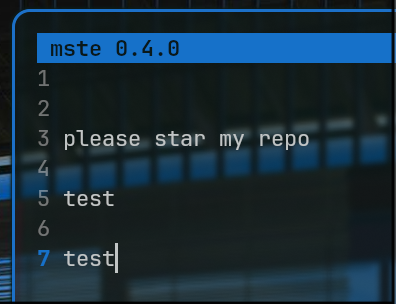
mste (mark's simple text editor)
A small nano-like terminal text editor written in Python using the standard library curses module. Zero dependencies.
in my opinion it is better than nano. unlike nano mste has themes from terminal colours see below


btw for the hyprland configs head to https://github.com/markart25/markdots a detailed install guide is included
Features
- Familiar nano-style keybindings (
Ctrl-Ssave,Ctrl-Xquit, etc.) - Cut/paste a line, incremental search
- Save / Save As, dirty-buffer warnings on quit
- Title bar, status line, help bar
- Auto-themes from terminal palette — works seamlessly with
pywaland similar tools - Works on any Linux/macOS terminal that supports curses
Install
From source
git clone https://github.com/markart25/mste.git
cd mste
pip install --user .
This puts a mste command on your $PATH.
Arch Linux (AUR) (currently a version behind ill fix later today)
yay -S mste
Usage
mste              # start with empty buffer
mste notes.txt    # open a file
Keybindings
| Key | Action |
|---|---|
Ctrl-S |
Save |
Ctrl-O |
Save As |
Ctrl-X |
Quit |
Ctrl-A |
Select all |
Ctrl-Z |
Undo |
Ctrl-Y |
Redo |
Ctrl-K |
Cut line / selection |
Ctrl-U |
Paste |
Ctrl-W |
Search |
Ctrl-G |
Help |
Configuration
On first launch, mste creates a config file at ~/.config/mste/config.conf
(or $XDG_CONFIG_HOME/mste/config.conf if set). Edit it and restart mste
to apply changes.
Colors are indices into your terminal's ANSI palette (0–15) so they retint
automatically with tools like pywal. Use -1 for "terminal default".
[colors]
title_bg = 1
title_fg = 0
status_bg = 1
status_fg = 0
gutter_bg = -1
gutter_fg = -1
gutter_current = 1
selection_bg = 6
selection_fg = 0
License
MIT